STS-134 blasts into a beautiful Florida sky
May 16th, 2011
Comments off

Categories: Uncategorized
The celebrations following the death of Osama Bin Laden, and especially some of the vitriol from media commentators reminded me of the piece of prose written in 1624 by John Donne:
No man is an island, entire of itself; every man is a piece
of the continent, a part of the main. If a clod be washed away by
the sea, Europe is the less, as well as if a promontory were, as
well as if a manor of thy friend’s or of thine own were; any man’s
death diminishes me, because I am involved in mankind, and
therefore never send to know for whom the bell tolls; it tolls for
thee.
Thanks to this post I finally (nearly one year!!) managed to get my HP Photosmart 4780 printing properly over wireless.
The symptom is that the printing is ridiculously slow, sometimes fails, and sometimes prints a bit of the output.
The solution is to use the HP Photosmart 2700 driver instead of the 4700 driver.
Open the print queue, choose Printer Setup, Driver, Print Using, Select Printer Software, search for 2700 and select the HP Photosmart 2700. Voila! Super fast wireless printing as it was supposed to be.
Update for Lion – be careful; so far I’m back to having problems with either driver. HP recommends using Apple Software Update to install the correct driver. Am testing it now.
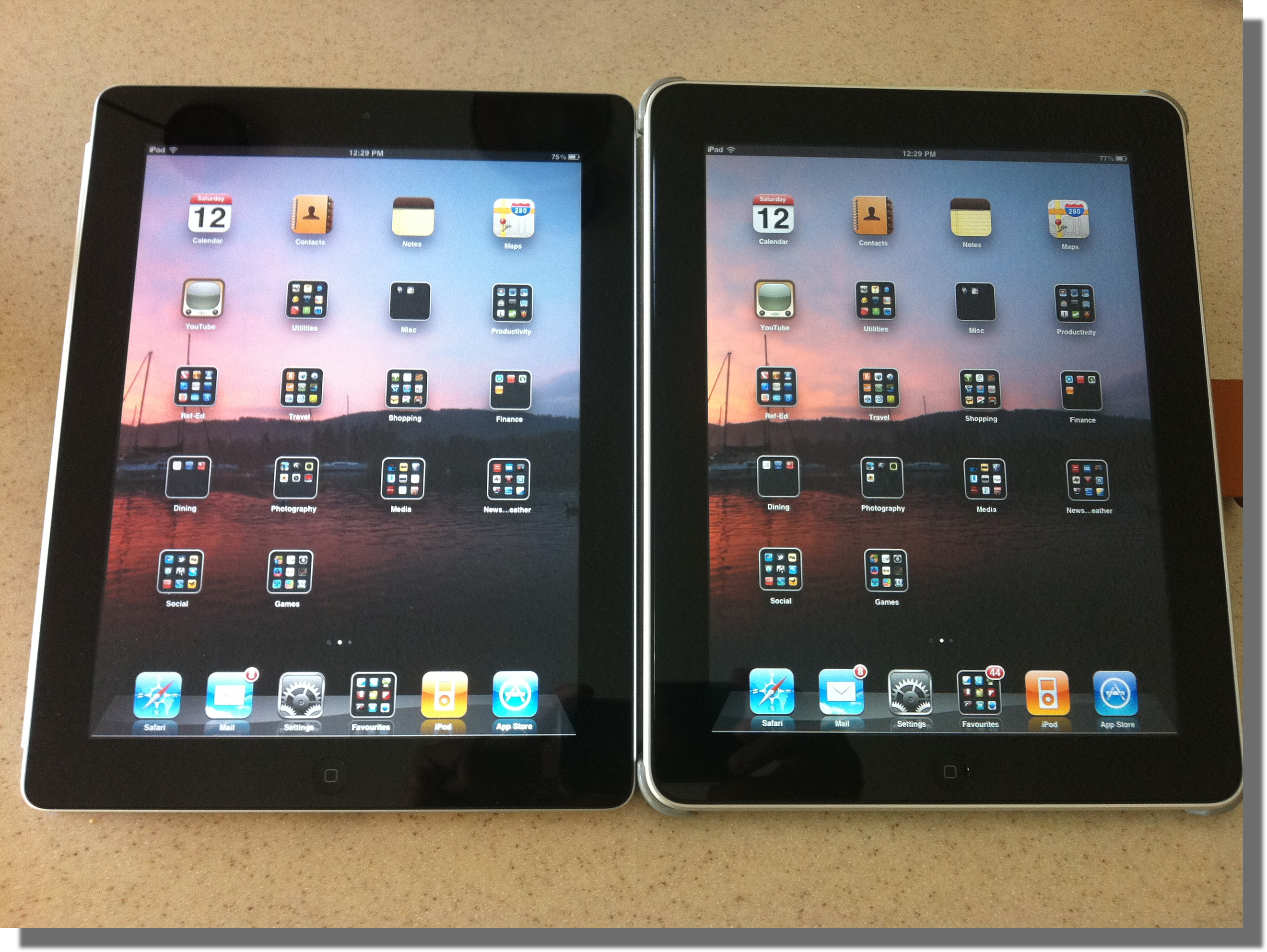
Spot the difference
What is it that drives someone to stand in line for three hours just for the privilege of spending $800 on something they don’t even need? Consumer society, anyone?
Anyhooo… After parting with said $800 I got my hands on a shiny new 64GB black iPad2 with an orange Apple Smart Cover. After a brief detour for dinner on the way home I spent the remainder of the evening backing up iPad1 and restoring its contents to iPad2. After a very brief play with it last night, this morning I’ve started to dig around and see whether it really is any different.
Upgrading via iTunes: the process was relatively painless – backed up my iPad, plugged in and registered the iPad2, restored everything (slowwwww) and off we go. A few niggles – I had to re-enter all my email passwords (I have seven email accounts), and verify my credit card details for the Apple Store, AND re-enter all my account info for the various Twitter, Facebook etc apps. But overall was an easy process and everything went smoothly.
And 64GB is a lot more space than 16GB (yes, I know, 48GB) so I can finally have iTunes sync all the video podcasts and pictures that I want.
Camera: to quote Sebastian Page “Wow. The cameras on the iPad2 are really shit.” Yup. Really. The front camera has truly awful low light performance – trying to use it for FaceTime was not a good experience. The other tidbit is that the rear camera saves stills with less than 1 megapixel resolution. Welcome to 1996.
Weight: A year ago I wrote that iPad1 felt heavier than expected. iPad2 is 0.2lb lighter than iPad. It feels considerably lighter, but I think that my brain is being tricked by it being thinner and hence expecting it to be lighter. And it really is very noticeably thinner. The iFixit teardown says that this has been partly accomplished by reducing the thickness of the glass itself – only time will tell if this makes the iPad2 more susceptible to damage.
Screen: the screen looks very similar to iPad1. It should – it has the same resolution. Engadget has reported light bleeding from the side of the screen, and the poll on the site shows and many as 20% of other people have too! This is BAD. So far I haven’t noticed any problem with mine.
Performance: the iPad2 is noticeably faster, in some cases dramatically so. Infinity Blade is still one of my favourite games. It loads A LOT faster, and responds much faster. I lost many matches on iPad because the touch interface wouldn’t respond fast enough. Not so on iPad2. It kept up easily. Bring on the monsters!
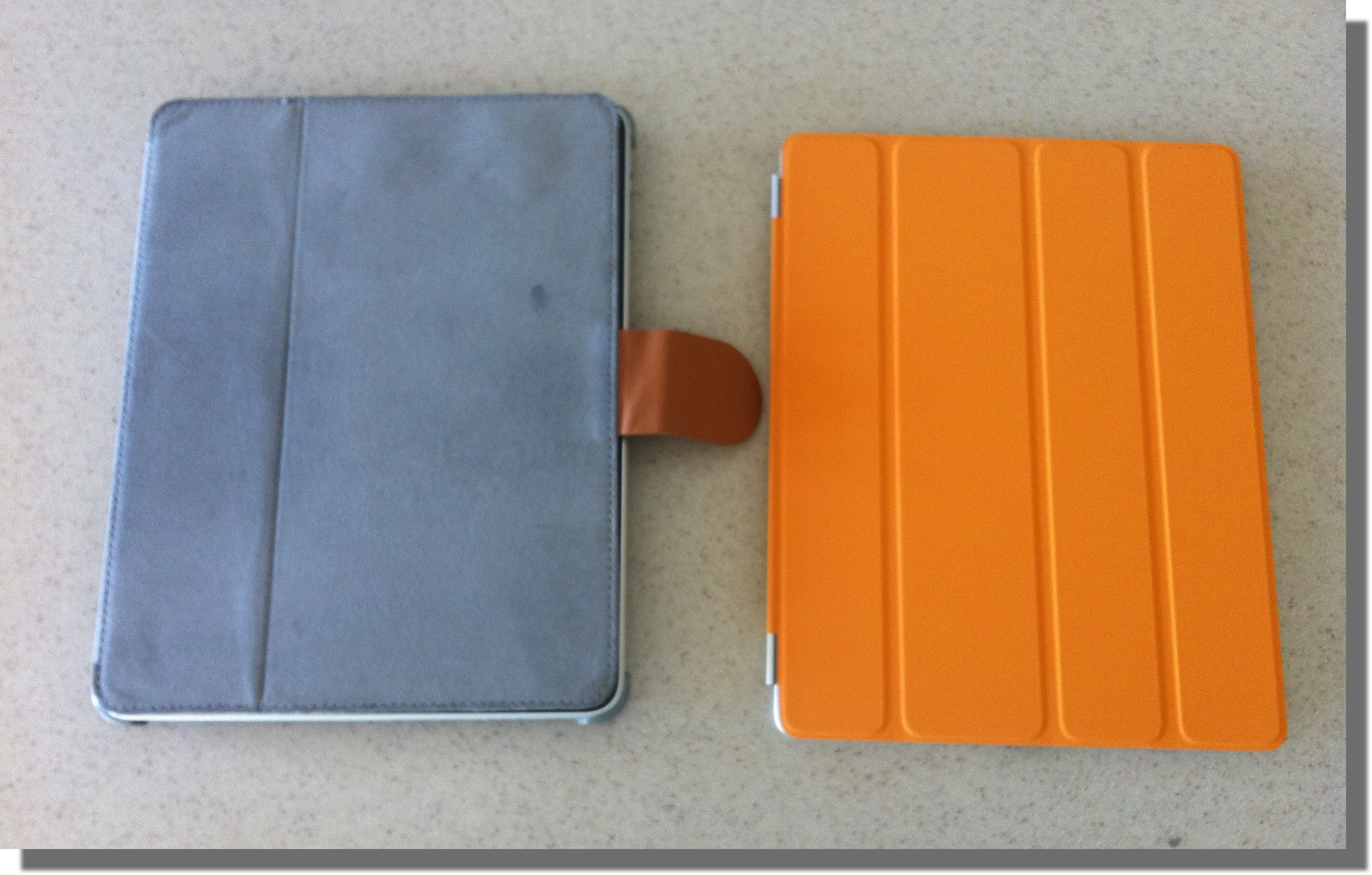 Smart Cover: Again to quote Sebastian Page “the smart cover is smart enough to protect the back, but not the front; I’m returning it tomorrow”. The cover is OK, and the magnetic attachment is really clever, but I think I’m going to switch to the MacAlly Bookstand 2BL cover when it comes out at the end of April. The MacAlly cover for my iPad1 has been great, and with the new one costing $29 (versus Apple’s $39/$59) it is a bargain.
Update:
FaceTime: just tried FaceTime for the first time with my cousin Jim and it works great. The larger screen size really helps compared to the iPhone 4.
Overall: initial reactions are good but not great. Definitely feels much lighter and thinner; definitely faster and more responsive. The cameras I can take or leave. If I hadn’t upgraded from 16 to 64GB I don’t think it would have been worth the money, but as it is I’m very pleased to have the iPad2, and I think Linda is going to love the iPad1.
p.s. Apple sold 300,000 iPads on the launch day nearly a year ago. Judging by the line at the Apple Store in Boca Raton yesterday, I’ve got to believe they’ve beaten that number hands down this time around.
 So…for the last couple of years I’ve been trying to figure out what my next car is going to be.
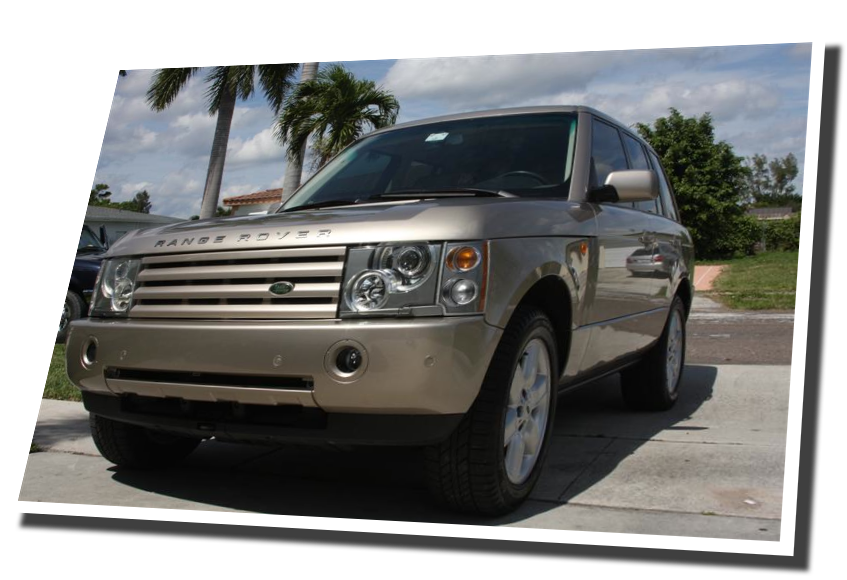
When I moved to the US in late 2005 I managed to pick up one of the first (i.e. used) new model Range Rovers at a pretty reasonable price. I figured what with all the snow and the rugged terrain here in South Florida the four wheel drive and off road capabilities would be really be worthwhile having. OK, not really. I’d wanted a Range Rover since I was a kid, and since Mr Clarkson had passed judgment that yes, finally, the L322 variant of the venerable beast wouldn’t fall apart before you got it home from the dealer it almost made sense to get one. When I found out that despite being built in the UK they were cheaper to buy in the US than back home it sealed the deal.
So for the last five years I’ve been the proud owner of a Range Rover HSE. Prior to that I’d been lucky enough to own some other great cars – the BMW 528, Lotus Elise 111S, Lotus Elan SE – and a few pokey ones too. Combine that with a series of Japanese super bikes – CBR 600 (twice!), VFR 750 – and you’ll understand that I’m not in the hunt for the typical run-of-the-mill sedan/saloon.
I’ve also felt ever slightly so guilty about the 15 mpg (US) that the Range delivers. The wallet doesn’t suffer too badly because of the ridiculously low price of fuel over here, but during the five years that I’ve owner the car (or ‘truck’ as the natives like to call it), Mr Gore’s Inconvenient Truth has stirred things up a bit. When I bought the Range Rover, the US was in orgasmic delight over the ludicrousness that is the Hummer. Whilst a few small cars were beginning to appear, ‘gas’ was still $2.20 a gallon and was being consumed with scant regard for, well, anything really.
When gas hit $4.00 a gallon something happened to the US collective consciousness. Despite the fact it was still half the price of petrol in the UK some unknown mental barrier had been crossed, and the US woke up to the fact that engines didn’t need to be 400 cubic inches and V12 to generate modest amounts of power, and that cars didn’t need to be the size of Sherman tanks to be safe. Almost over night Hummers fell out of favour, and Chevrolet was on its way to producing the Volt, and Nissan the Leaf. Prius owners were no longer seen as some weird Californians sub-class.
And that brings us back to the Range Rover. I love it. It is delightful to drive, has a commanding view of the road, looks great, is utterly capable in the monsoon rain we get down here in the tropics and is just so…British!
 What, then, to replace it with? The current crop of Audis, BMWs and Mercedes are OK, but they don’t ignite any real emotion. The Japanese and Korean alternatives do little to stir the soul. ‘Yank Tanks’ – those big, ugly Escalades and Yukons are a definite no-no. The Porsche Cayenne was interesting a few years ago, but not after owning a Range Rover. I’d had sports cars and would consider one again but the traffic light-laden grids of Broward County don’t quite compare to the sweeping country roads of Northern England when it comes to an adrenaline rush.
I must admit that I do like a bit of comfort when it comes to driving (or the absolute opposite – I considered an Ariel Atom at one point). I’d love to own a Bentley or an Aston Martin, but they are way out of my price league. I’m drawn to the Lexus sedans; not the most exciting cars in the world, but they exude quality – a very British facet of live (or so I like to think). But then we got one for my wife and although I love it (and her!) it just felt like I had to have something different.
So the requirements are:
Wow. Tough list. Gallardo, Audi R8, DB9 – beautiful, but way too expensive and thirsty. Atom – luxurious? No. Another Range Rover? Not different, and definitely thirsty. Jaguar XF? Maybe, but its a Jag.
But…what about a Tesla? Being an ex-Elise owner I knew all about the Tesla Roadster. Economical? Beautiful? Different? Definitely. Sporty? Absolutely. 0-60 in 3.7 sec. That’s just crazy. But so is the price. $109k for the base model; Nigh on $150k for the tricked out Sport version. But… it is a green as you get and definitely up for consideration if it weren’t for the price.
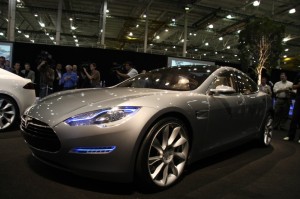 And then I saw the Tesla Model S. Wow. And Wow again. Gorgeous. Luxurious. 0-60 in 5.9 sec. 17″ touch screen. 300 miles on a charge. Definitely different. And the price? $49k for the base model. $49k. Seriously? Now I’m sure that fully configured and in the 300 mile configuration it is going to be quite a bit more than that, but still…
So I put down a deposit earlier this week. Fully refundable no less! I don’t have my number in the queue yet, but I should have it tomorrow. Not quite sure of the delivery time, but they should have demo cars around fall 2011 and production cars available around mid 2012. My car should ship around two years from now. Patience, patience.
And in case you’ve never seen the Tesla S, here it is…